 |
KG's 11 dimensional retrospectionKeiji's blog about Software Engineering, Computer Science, Astronomy, etc |
MagiCirBrk - Magic Circle Puzzle game
Friday, September 01, 2017
By keiji
MagiCirBrk is a puzzle game to challenge your pattern recognition! Choose the right pattern for each ring and break the Magic Circle!
MagiCirGen (iTunes App Store for iOS)

MagiCirGen (iTunes App Store for iOS)
| keiji@05:48 PM | Comment (0) |
MagiCirGen - macOS version
Friday, June 23, 2017
By keiji
macOS version is now available.
MagiCirGen (Apple Mac App App)

MagiCirGen (Apple Mac App App)
| keiji@12:33 PM | Comment (0) |
OpenCV for OSX
Thursday, June 22, 2017
By keiji
I had really hard time building OpenCV for OSX. So here is a memo.
Below, I used XCode 8.3.3, and OpenCV 3.2.0. (As of 2017-6-22)
1. Download the OpenCV source Open CV Download site, and unzip it somewhere.
For example:
Unzip it in /SDK/opencv3/opencv-3.2.0/
2. Download CMake if you don't have it.
CMake
3. Create a folder for the build.
e.g. /SDK/opencv3/build
4. Use CMake, point to the root folder of the OpenCV folder.
e.g.
"Where is the source code": /SDK/opencv3/opencv-3.2.0/
"Where to build the binaries": /SDK/opencv3/build
5. Generate the xcode project.
6. Open the xcode project (It should be in /SDK/opencv3/build), and build it.
Build both "command-B" and "Archive".
This way, it generates dylib in the folder: /SDK/opencv3/build/lib
The dylib in this folder is a link, so go to the original file folder by right click and select "Show Original"
These dylib has the ID with rpath, so it's safe to be embedded in the App package.
e.g.
otool -L libopencv_imgproc.3.2.0.dylib
libopencv_imgproc.3.2.0.dylib:
@rpath/libopencv_imgproc.3.2.dylib (compatibility version 3.2.0, current version 3.2.0)
@rpath/libopencv_core.3.2.dylib (compatibility version 3.2.0, current version 3.2.0)
/System/Library/Frameworks/Accelerate.framework/Versions/A/Accelerate (compatibility version 1.0.0, current version 4.0.0)
/usr/lib/libc++.1.dylib (compatibility version 1.0.0, current version 307.5.0)
/usr/lib/libSystem.B.dylib (compatibility version 1.0.0, current version 1238.50.2)
However, the ID is different:
e.g. libopencv_imgproc.3.2.0.dylib pointing to @rpath/libopencv_imgproc.3.2.dylib
So, to be able to be included it in App Packege, rename the dylib:
libopencv_imgproc.3.2.0.dylib ==> libopencv_imgproc.3.2.dylib
Now, you can copy those dylib into your project, and link.
Make sure to use "Embed Frameworks" to included these dylibs.
Below, I used XCode 8.3.3, and OpenCV 3.2.0. (As of 2017-6-22)
1. Download the OpenCV source Open CV Download site, and unzip it somewhere.
For example:
Unzip it in /SDK/opencv3/opencv-3.2.0/
2. Download CMake if you don't have it.
CMake
3. Create a folder for the build.
e.g. /SDK/opencv3/build
4. Use CMake, point to the root folder of the OpenCV folder.
e.g.
"Where is the source code": /SDK/opencv3/opencv-3.2.0/
"Where to build the binaries": /SDK/opencv3/build
5. Generate the xcode project.
6. Open the xcode project (It should be in /SDK/opencv3/build), and build it.
Build both "command-B" and "Archive".
This way, it generates dylib in the folder: /SDK/opencv3/build/lib
The dylib in this folder is a link, so go to the original file folder by right click and select "Show Original"
These dylib has the ID with rpath, so it's safe to be embedded in the App package.
e.g.
otool -L libopencv_imgproc.3.2.0.dylib
libopencv_imgproc.3.2.0.dylib:
@rpath/libopencv_imgproc.3.2.dylib (compatibility version 3.2.0, current version 3.2.0)
@rpath/libopencv_core.3.2.dylib (compatibility version 3.2.0, current version 3.2.0)
/System/Library/Frameworks/Accelerate.framework/Versions/A/Accelerate (compatibility version 1.0.0, current version 4.0.0)
/usr/lib/libc++.1.dylib (compatibility version 1.0.0, current version 307.5.0)
/usr/lib/libSystem.B.dylib (compatibility version 1.0.0, current version 1238.50.2)
However, the ID is different:
e.g. libopencv_imgproc.3.2.0.dylib pointing to @rpath/libopencv_imgproc.3.2.dylib
So, to be able to be included it in App Packege, rename the dylib:
libopencv_imgproc.3.2.0.dylib ==> libopencv_imgproc.3.2.dylib
Now, you can copy those dylib into your project, and link.
Make sure to use "Embed Frameworks" to included these dylibs.
| keiji@06:59 PM | Comment (0) |
MagiCirGen - Magic Circle Generator
Thursday, June 22, 2017
By keiji
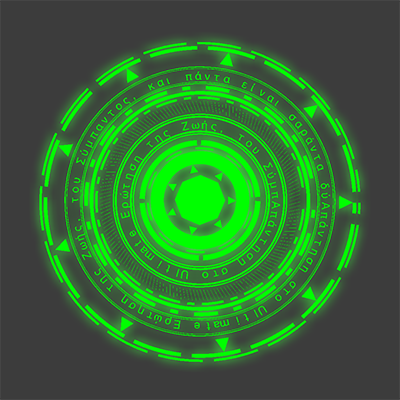
A fun app this time - MagiCirGen - a magic circle (or Mahoujin) generator.
I had the general idea for long time, but finally I made it as an app.
The first idea I wanted was that I just want my own auto-generated "Mahoujin". It is a kind of so called Magic Circle, western terminology, while "Mahoujin" is the Japanese terminology in a slightly different purpose. Anyway, creating the pattern by hand is fun but takes time, so I wanted to program to generate it.
Then, the second idea was "Rotation in 3D". This is inspired by Pokemon Go's Pokestop. The rotating ring was cool and I wanted to generate a similar pattern.
Finally, recently I saw an article regarding "Mahoujin" projecting toward ground using pocket-projector to take Magic Circle effect in a photo.
It was kind of exciting, and it finally made me actually code the App to do so.
It is coming soon to iOS/macOS App store.
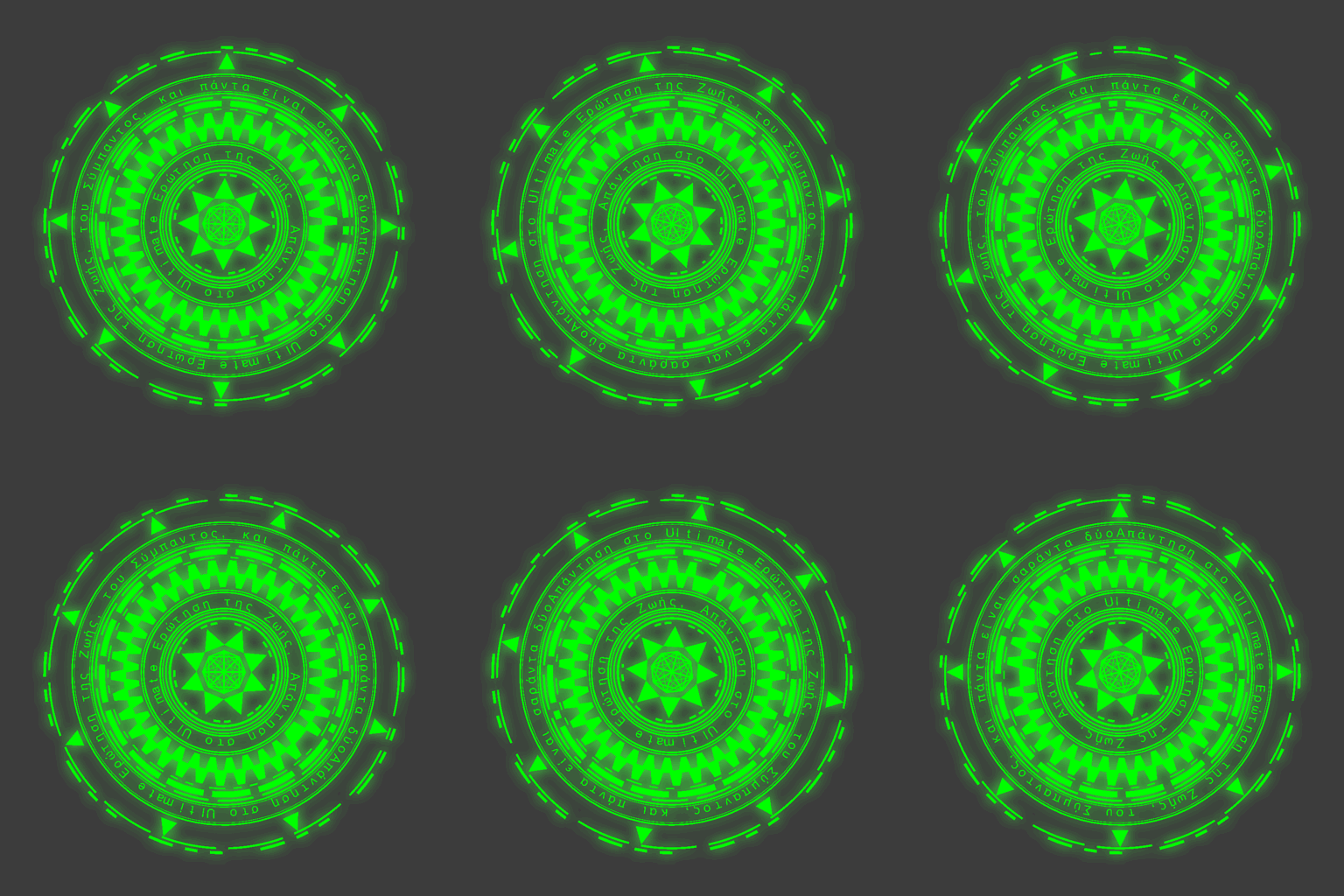
I had the general idea for long time, but finally I made it as an app.
The first idea I wanted was that I just want my own auto-generated "Mahoujin". It is a kind of so called Magic Circle, western terminology, while "Mahoujin" is the Japanese terminology in a slightly different purpose. Anyway, creating the pattern by hand is fun but takes time, so I wanted to program to generate it.
Then, the second idea was "Rotation in 3D". This is inspired by Pokemon Go's Pokestop. The rotating ring was cool and I wanted to generate a similar pattern.
Finally, recently I saw an article regarding "Mahoujin" projecting toward ground using pocket-projector to take Magic Circle effect in a photo.
It was kind of exciting, and it finally made me actually code the App to do so.
It is coming soon to iOS/macOS App store.
| keiji@06:48 PM | Comment (3) |
FiltSketch
Monday, April 24, 2017
By keiji
My latest project is an App called "FiltSketch", which generate an sketched image from a picture.
The core algorithm is an image to vector converter based on a shape evolution using Hill Climbing method. It is a kind of pattern searching in a image by trial and error.
There is an already a famous App in the Mac App Store: Primitive for macOS. The App is well built and very impressive.
The author also has published the source code of the core algorihm: Rrimitive on GitHub (go lang)
My app is using the same algorithm and using the vector data to draw a paint like image. (TBD)
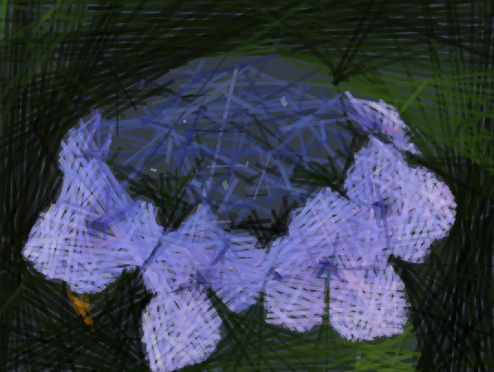
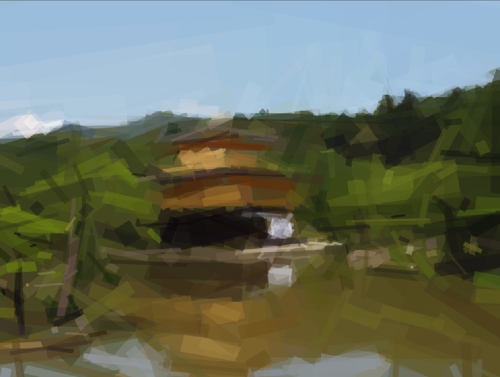
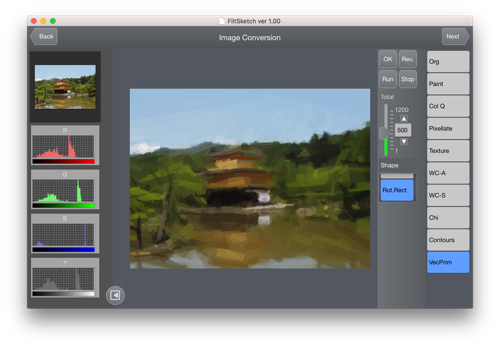
Anyway, here are some screenshots of my first attempt of implementing the algorithm in C++11, this is so far I have achieved and satisfied with as a first phase.
Sample#1: Original Image:
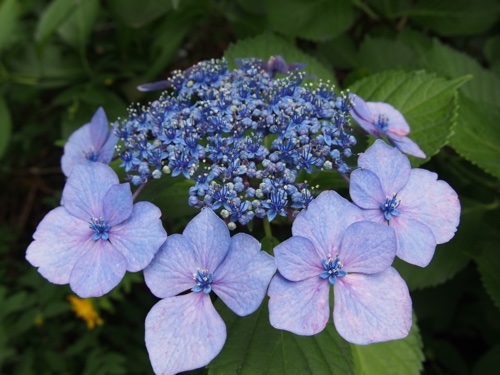
Converted:
Sample#2: Original Image:

Converted:
App overall UI:
The core algorithm is an image to vector converter based on a shape evolution using Hill Climbing method. It is a kind of pattern searching in a image by trial and error.
There is an already a famous App in the Mac App Store: Primitive for macOS. The App is well built and very impressive.
The author also has published the source code of the core algorihm: Rrimitive on GitHub (go lang)
My app is using the same algorithm and using the vector data to draw a paint like image. (TBD)
Anyway, here are some screenshots of my first attempt of implementing the algorithm in C++11, this is so far I have achieved and satisfied with as a first phase.
Sample#1: Original Image:
Converted:
Sample#2: Original Image:
Converted:
App overall UI:
| keiji@06:52 PM | Comment (0) |
| « Older 5 items | Top | Newer 5 items » |
 Top
Top- Search
- About
Recent Photos [-] 
- 10670