
KG-Chart / StitchSketch blogAbout KG-Chart/StitchSketch, designing a craft chart on MS-Windows and iPhone/iPad. Cross Stitching, Bead Weaving, Pixel Art, Perler Beads, Knitting Pattern, and more! Japanese version is here. |
StitchSketchEx
Monday, February 06, 2023
By keiji
A new app "StitchSketchEx" is now available.
It is a successor of KG-Chart and StitchSketch.
It can read KG-Chart/StitchSketch chart file.
Android version is available for Android/Chromebook.

Mac/iOS/Windows are coming soon.
It is a successor of KG-Chart and StitchSketch.
It can read KG-Chart/StitchSketch chart file.
Android version is available for Android/Chromebook.
Mac/iOS/Windows are coming soon.
| keiji@09:50 AM | Comment (0) |
Because we are getting problematic posts on our user's forum, it is closed for now.
| keiji@08:19 PM | Announcement | Comment (0) |
For StitchSketch, to generate a color list on PDF, you need to use a following Chart Type:
"Cross Stitch" / "Bead Weaving" / "Iron Beads" / "Color Knitting"
Selecting one of the those chart type, then you'll see a "Color List" option for the PDF generation option dialog box.
"Cross Stitch" / "Bead Weaving" / "Iron Beads" / "Color Knitting"
Selecting one of the those chart type, then you'll see a "Color List" option for the PDF generation option dialog box.
| keiji@07:53 PM | How to, StitchSketch | Comment (1) |
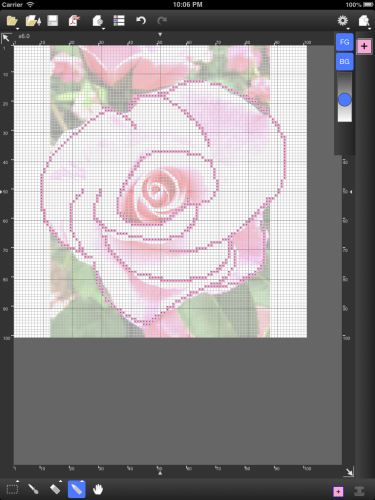
Using StitchSketch, when converting a photo into a chart, the color code will NOT be assigned automatically.
You need to do the manual step to do so.
You need to do the manual step to do so.
-
Please go to the "Color List" screen. (The icon is on top of the screen)
-
On the bottom of the screen, there is a "..." icon.
-
From there, use "Assign Color Code" button to assign any color palette code.
| keiji@07:51 PM | How to, StitchSketch | Comment (0) |
| « Older 5 items | Top | Newer 5 items » |
 Top
TopTags [-]
- Search
- About
Recent Photos [-] 
Recent Comments [-] - StitchSketch 2.54Is it possible to tw
- StitchSketch (Full) ver 2.0 Release NotesI have bought Stitch
- StitchSketch for AndroidLenovo tablet
- StitchSketch (Full) ver 2.0 Release NotesI haved ver.StitchSk
- StitchSketch for AndroidI look forward to th
- StitchSketch 2.54How to copy portion
- Color List on PDFIgnore comment today
- StitchSketch (Full) ver 2.0 Release NotesWhen I export as a p
- StitchSketch (Full) ver 2.0 Release NotesPlease go to the "Co
- StitchSketch (Full) ver 2.0 Release NotesWhy won’t the color
- 20882